ByJohn A
Upgrading Your Device? Here’s Why Mobile Diagnostics Matter First
In today’s fast-paced digital world, upgrading to a new smartphone has become a regular part of life. Whether you’re switching to enjoy better performance, enhanced camera capabilities, improved battery life, or the latest features, getting a new device is always exciting. However, many users focus only on purchasing the latest model and overlook one critical step before making the switch to mobile diagnostics.
Before transferring files, contacts, apps, and personal information to a new device, it is essential to understand the condition of your current smartphone. This is where mobile diagnostics and data transfer play a crucial role. Proper diagnostics help identify hidden issues, ensure valuable data is protected, and create a smooth transition between devices.
Companies like CellDe recognize the importance of assessing device health before migration, helping users avoid common problems that may arise during upgrades.
Understanding Mobile Diagnostics Before an Upgrade
When people think about upgrading a smartphone, they often focus on backing up photos and contacts. However, diagnosing the current device is equally important.
Mobile diagnostics refers to a comprehensive evaluation of a smartphone’s hardware and software components. These tests help determine whether the device is functioning correctly and identify any issues that could impact the migration process.
A thorough diagnostic assessment typically checks:
- Battery health
- Screen functionality
- Touch responsiveness
- Camera performance
- Storage condition
- Network connectivity
- Microphone and speaker quality
- Operating system stability
- Sensor functionality
Understanding these factors before upgrading can prevent data loss and ensure a smoother transition.
See also: Professional Furniture Installation: A Smart Choice for Busy Homeowners
Detecting Hidden Device Issues
Many smartphone problems remain unnoticed during daily use. Diagnostic tools can uncover hidden issues such as battery degradation, storage corruption, or failing hardware components that could affect data migration.
By identifying these concerns early, users can take corrective measures before beginning the transfer process and reduce the risk of complications.
Improving Upgrade Readiness
Mobile diagnostics help determine whether a device is prepared for data migration. A healthy device can transfer information more efficiently and with fewer interruptions.
This preparation ensures that important files, contacts, messages, and applications are successfully moved to the new smartphone without errors.
Why Data Transfer Depends on Device Health
Data transfer is often viewed as a simple process, but the success of the migration heavily depends on the condition of the source device.
Damaged hardware, unstable software, or storage issues can interrupt transfers and lead to incomplete backups. This is why Mobile diagnostics and data transfer should always work together during a device upgrade.
When diagnostics are performed first, users gain confidence that their information is secure and ready for migration.
Protecting Valuable Information
Personal devices store years of memories, important documents, contacts, and account information. Diagnostic testing helps ensure that all critical data remains accessible during the transfer process.
Identifying potential issues beforehand minimizes the risk of losing valuable information during the upgrade.
Reducing Transfer Errors
Faulty storage sectors, operating system glitches, and network problems can cause transfer failures. Diagnostics help uncover these issues before migration begins.
Addressing these problems early contributes to a more reliable and efficient transfer experience.
The Benefits of Mobile Diagnostics During Device Upgrades
Performing diagnostics before upgrading provides several advantages beyond data protection. It helps users make informed decisions and improves the overall upgrade experience.
By understanding the condition of an existing device, users can plan the migration process more effectively and avoid unnecessary surprises.
Accurate Device Assessment
Diagnostic reports provide a detailed overview of the smartphone’s condition. This information helps users understand any limitations or potential concerns that could impact performance or data transfer.
A clear assessment creates a more organized and predictable upgrade process.
Better Trade-In Value
Many people trade in their old devices when purchasing a new one. Diagnostic results can help verify the condition of the device and support accurate valuations.
Understanding device health beforehand allows users to address issues that may affect resale or trade-in opportunities.
Common Problems Diagnostics Can Identify
Smartphones may appear functional while still experiencing underlying issues that can interfere with upgrades.
Mobile diagnostics can detect a wide range of hardware and software concerns before they become major problems.
Battery Performance Issues
A deteriorating battery may cause unexpected shutdowns during backups or data transfers. Diagnostics can evaluate battery health and identify whether replacement may be necessary before migration.
This reduces the likelihood of interruptions during critical transfer processes.
Storage and Memory Errors
Damaged storage sectors or memory issues can make certain files inaccessible. Diagnostic tools can locate these problems and help users recover important information before upgrading.
This proactive approach improves the chances of a successful migration.
Connectivity Problems
Data transfers often rely on Wi-Fi, Bluetooth, or cellular connections. Diagnostics can identify network-related issues that may slow down or interrupt the transfer process.
Resolving connectivity concerns beforehand improves transfer reliability.
How Mobile Diagnostics Support Data Security
Security is one of the most important considerations when upgrading a smartphone. Users often store sensitive information including banking details, passwords, personal documents, and business data.
Mobile diagnostics can help ensure that software systems are functioning correctly and free from issues that may compromise security during migration.
Identifying Software Vulnerabilities
Outdated software or system errors can expose devices to security risks. Diagnostic tools can detect operating system issues and recommend updates before transferring data.
This creates a safer environment for migration activities.
Ensuring Complete Data Backups
Diagnostic testing verifies that storage systems are functioning properly and that backups can be completed successfully.
This additional layer of verification provides peace of mind during the upgrade process.
Why Businesses Benefit from Mobile Diagnostics and Data Transfer
Organizations frequently upgrade employee devices to improve productivity and security. In business environments, diagnostics become even more important because large volumes of sensitive information must be transferred accurately.
Mobile diagnostics and data transfer help businesses streamline device upgrades while protecting company data.
Supporting Operational Continuity
Diagnostic assessments help ensure devices are functioning properly before migration begins. This minimizes downtime and keeps employees productive throughout the upgrade process.
Businesses benefit from smoother transitions and fewer technical disruptions.
Enhancing Data Protection
Corporate devices often contain confidential information. Diagnostics help identify vulnerabilities and ensure data can be securely transferred to new devices.
This reduces risks associated with device replacement projects.
Choosing a Professional Mobile Diagnostics Solution
While some smartphone manufacturers provide basic diagnostic tools, professional diagnostic solutions often deliver more comprehensive insights.
Organizations and individual users can benefit from advanced testing that evaluates device performance in greater detail.
CellDe provides solutions designed to simplify device assessments and migration processes, helping users gain a better understanding of device health before upgrading.
Comprehensive Testing Capabilities
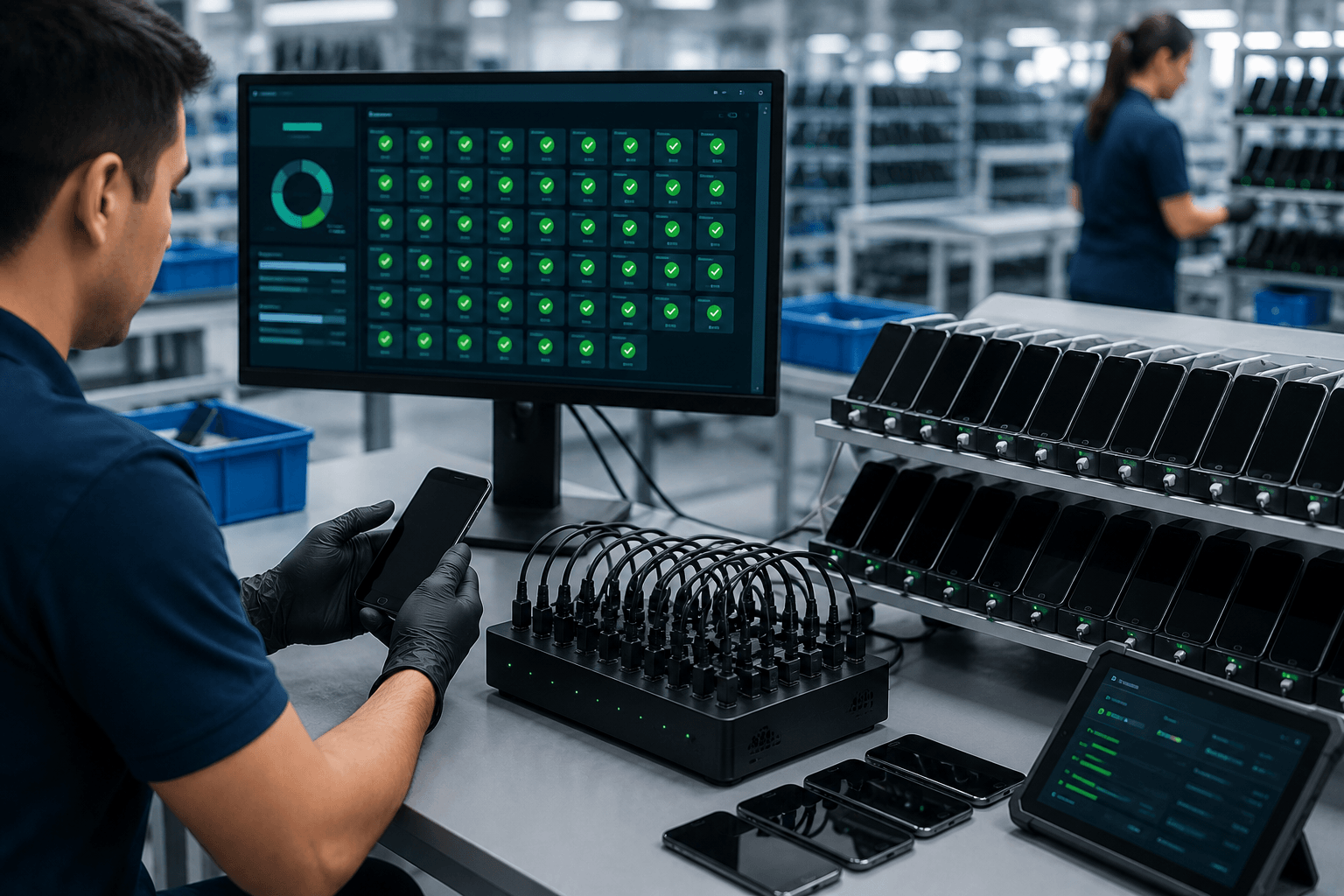
Professional diagnostic platforms can evaluate numerous hardware and software components simultaneously.
This comprehensive approach provides a complete picture of device health and supports informed upgrade decisions.
Simplified Migration Preparation
Diagnostic reports help users prepare for successful data transfers by identifying issues before migration begins.
This preparation reduces stress and contributes to a more efficient upgrade experience.
Conclusion
Upgrading to a new smartphone is an exciting opportunity to enjoy improved technology and enhanced performance. However, skipping device diagnostics before migration can create unnecessary risks, including data loss, transfer failures, and security concerns.
By prioritizing Mobile diagnostics and data transfer, users can ensure that their current device is healthy, their data is secure, and their upgrade process is as smooth as possible. Diagnostics provide valuable insights into device condition, reveal hidden issues, and help protect important information throughout the migration journey.
Whether you are upgrading a personal smartphone or managing large-scale device replacements within an organization, performing diagnostics first is a smart and proactive step. With support from trusted providers like CellDe, users can confidently transition to new devices while preserving the data and functionality they depend on every day.